


Changing User Passwords (Local Accounts)

Aug 14, 2024
Changing a Local User Password When You Know the Current Password
If you know the password for your local account, but wish to change it:
Press the Ctrl, Alt, and Del keys at the same time.
You should see this menu appear:
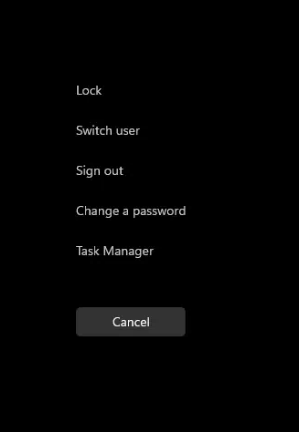
Click on "Change a password."
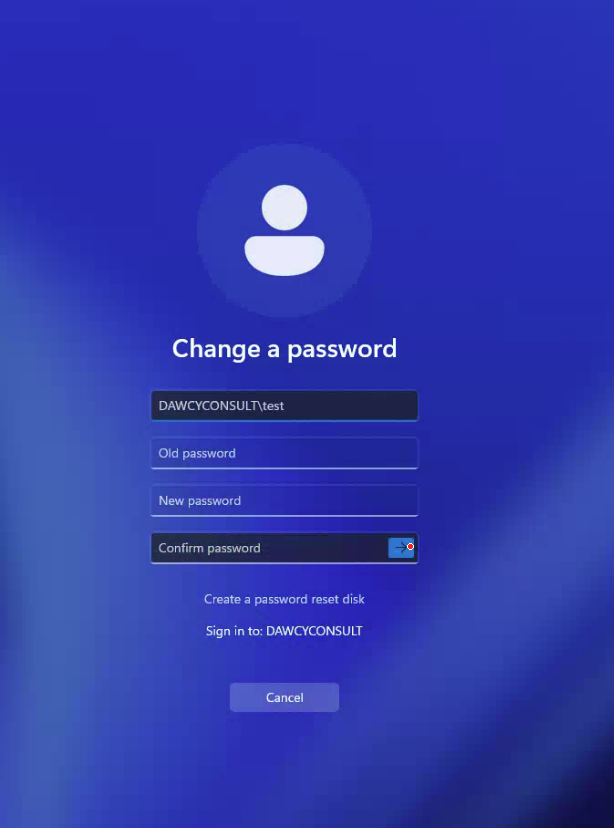
On this screen, in the three blank fields, put in the current password you wish to change, and then the new password you wish for it to be changed to.
This only works for users signed in with a Local Account, not a Microsoft email address login.
If you do not remember your password, or need to reset the password for a Microsoft email address, call 859-810-8050 and we will set it to a temporary password allowing you to change it when you sign in.

