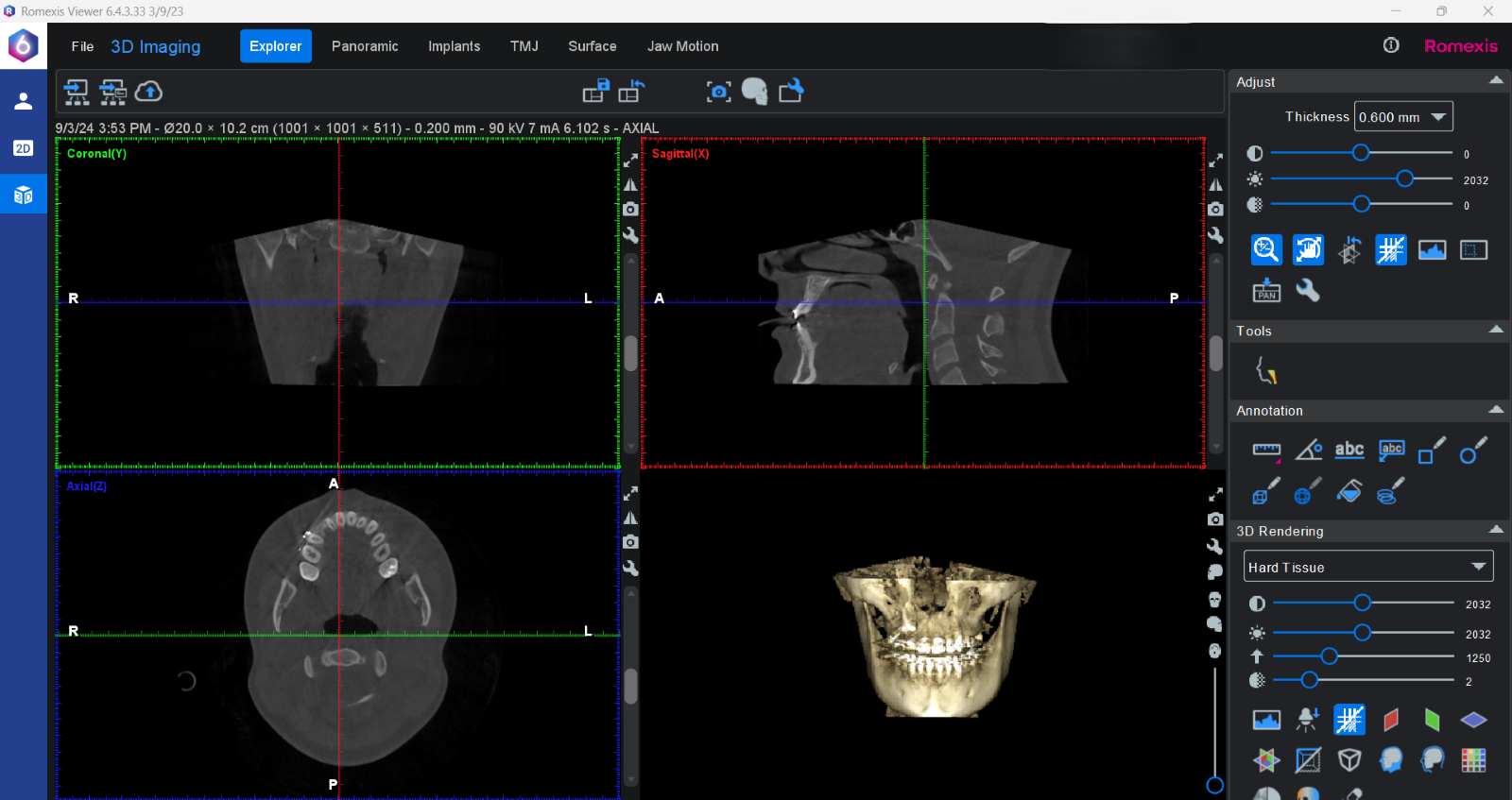


Sending Images via Romexis Cloud
The purpose of this guide is to walk through the steps needed to send images via Romexis Cloud. Romexis Cloud is a secure method of sharing images with other providers. This method will replace WeTransfer for any practice sending images from Romexis. Recipients of images sent through Romexis Cloud will not require the recipient to have a Romexis Cloud subscription.
Requirements to send images via Romexis Cloud:
- Active Romexis Cloud subscription
- Romexis software installed on workstation sending the image(s)
Requirements to view and receive images sent via Romexis Cloud:
- Romexis viewer software (free, link to download can be included when sending the image)
Sending Images from Romexis
-
Open Romexis

-
Select patient
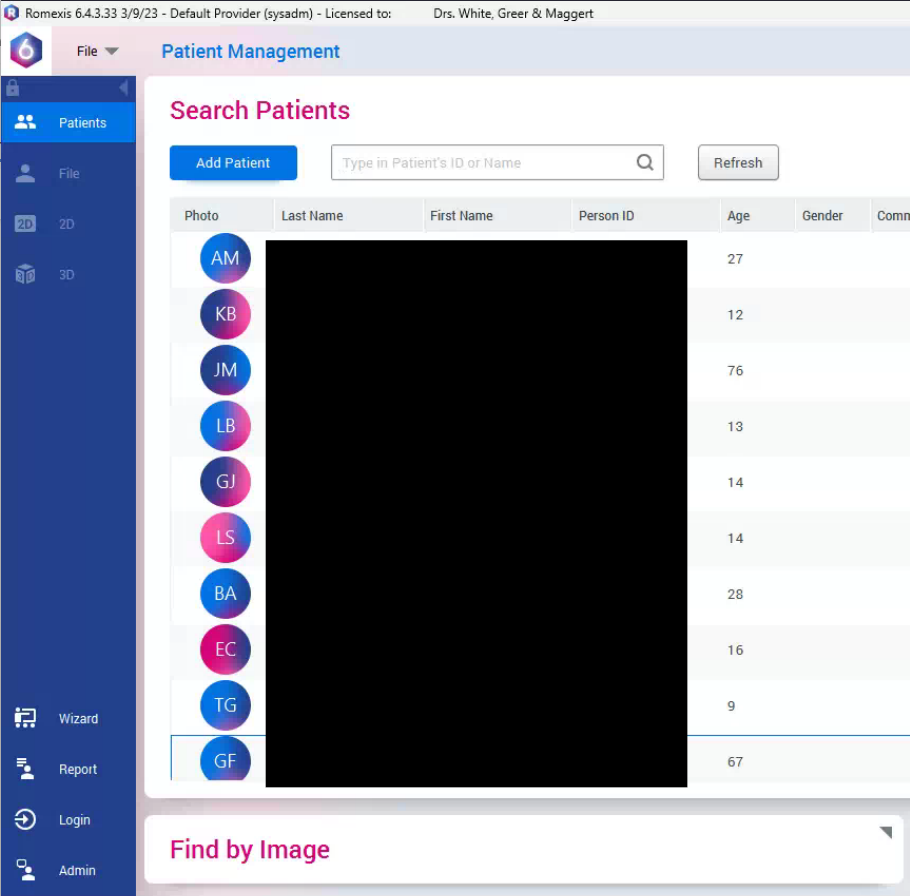
-
Double click image
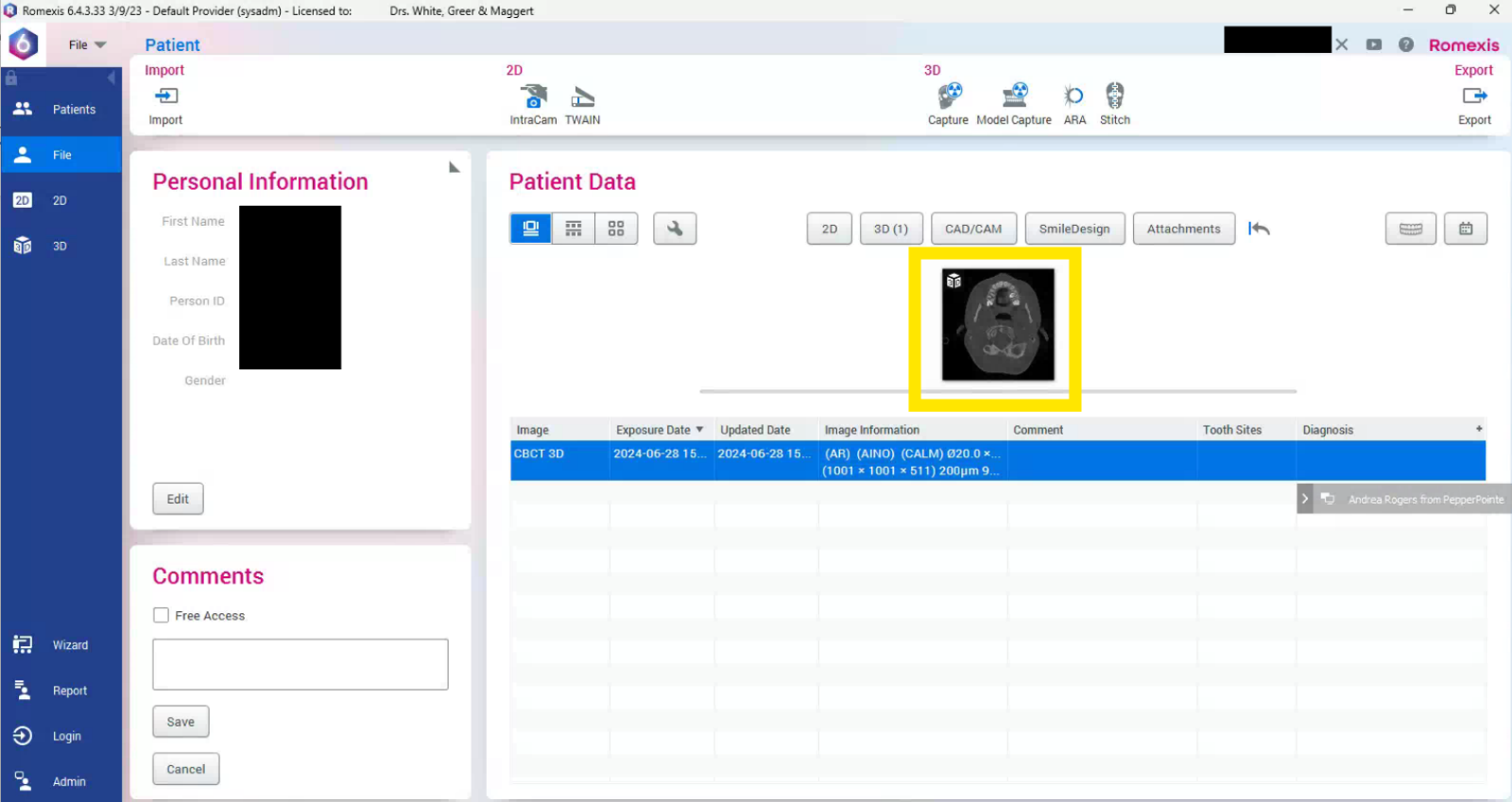
-
Select Cloud

-
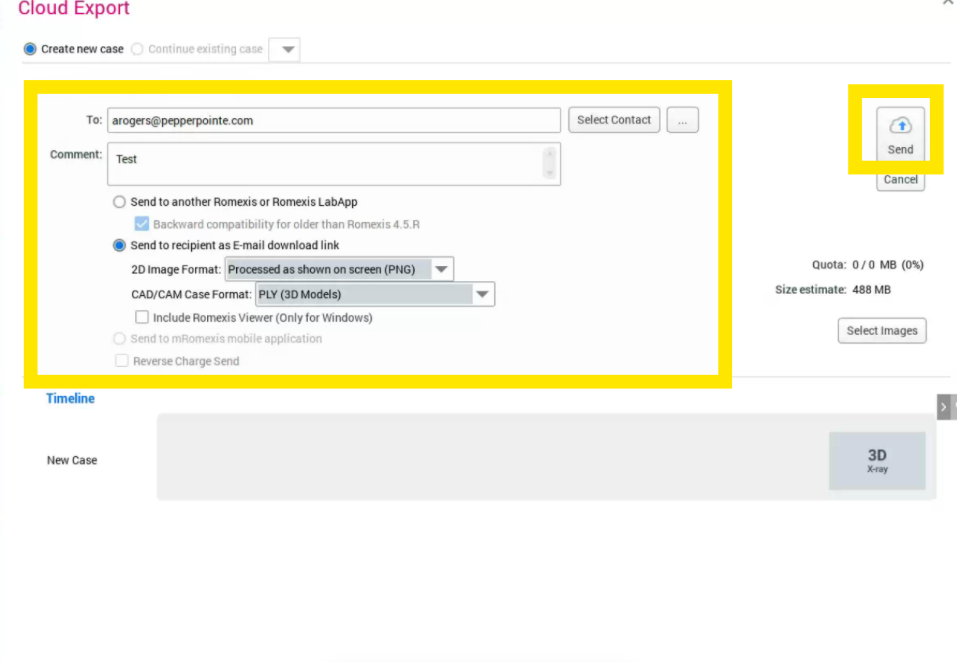
Enter recipient information, add message content, and select Send to recipient as email download link. You can choose to include the Romexis viewer software in the email sent to the recipient. Note: Selecting the option to include the Romexis viewer may cause delays sending the message from Romexis. Press Send.
Recipient Point of View
-
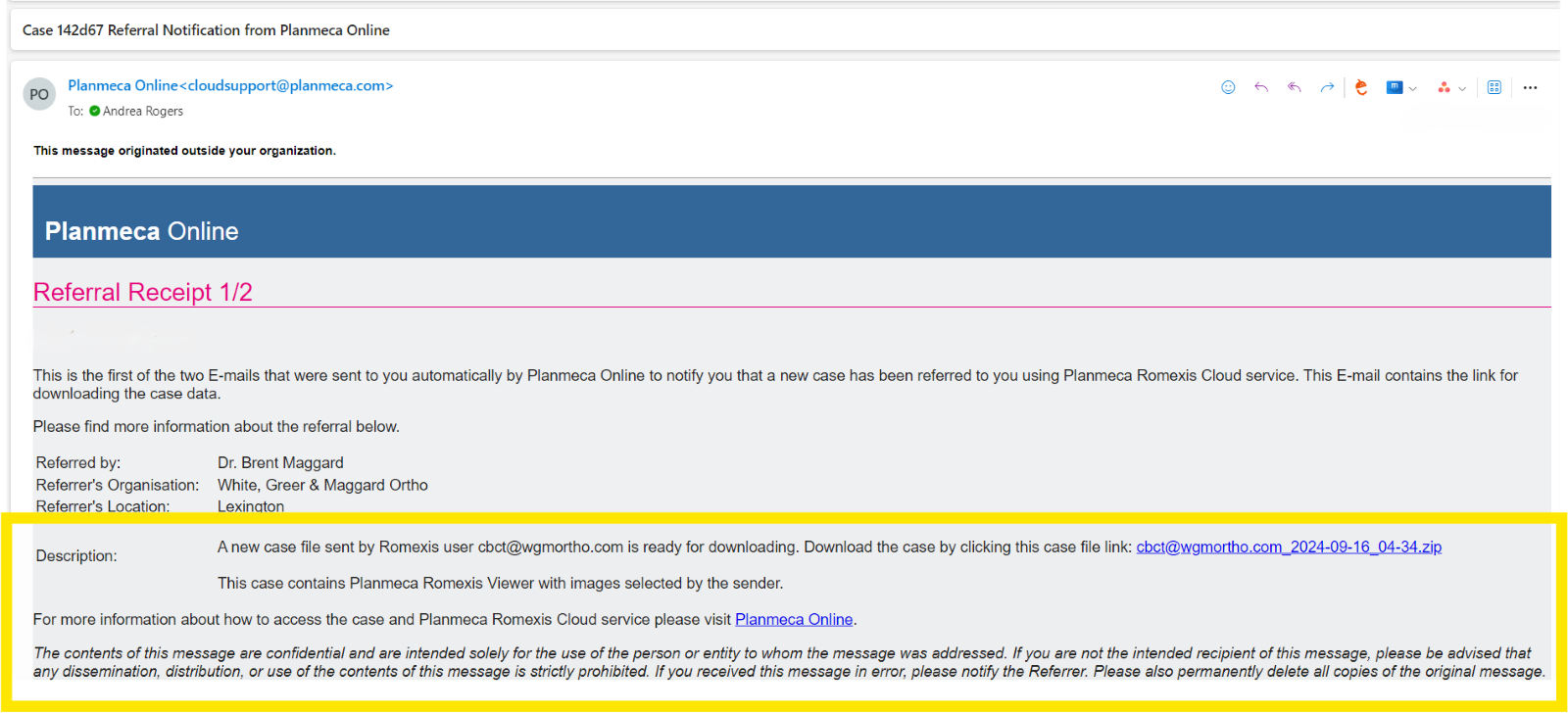
Recipient will receive 2 emails from Planmeca Online ([email protected]).
-
The first email will contain referring provider’s information and a link to download the case.
-
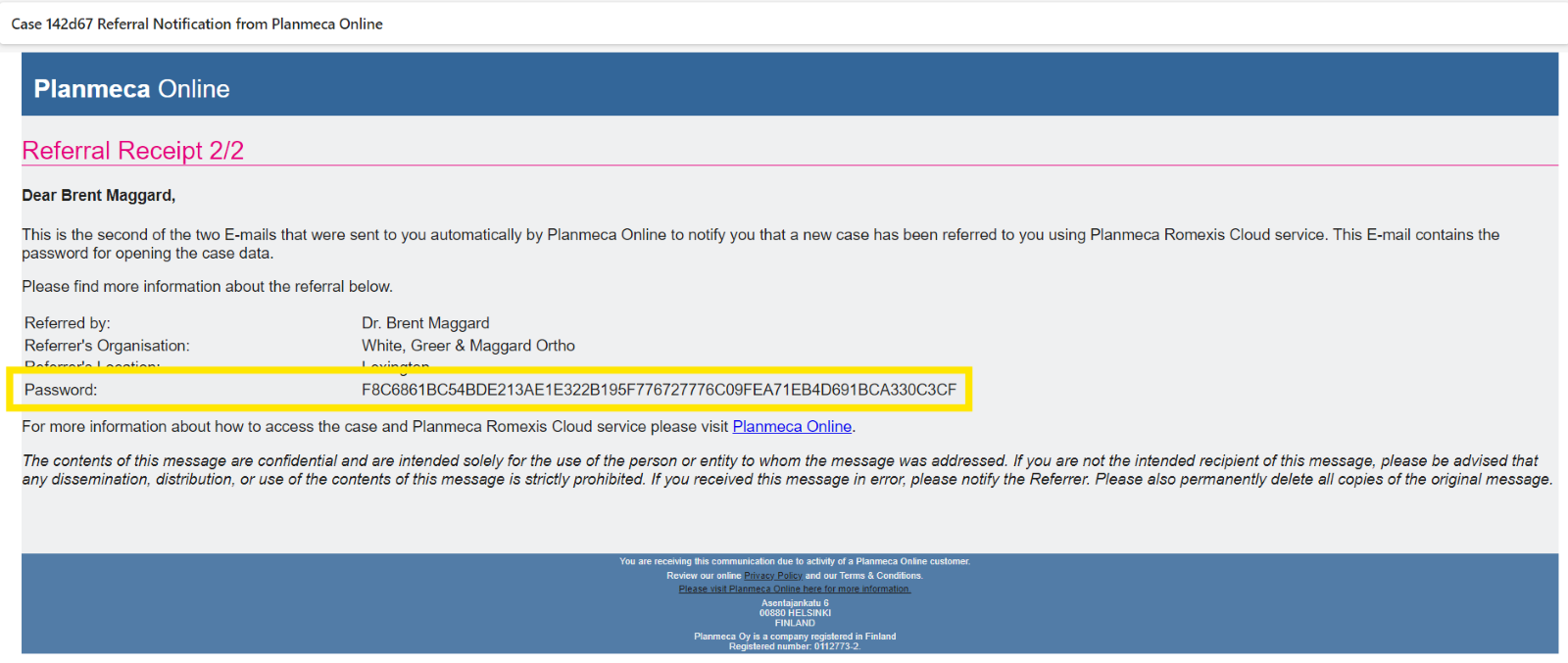
The second email will contain the password to access the protected patient information
-
Click the link to download the zip file from the first email email.
-
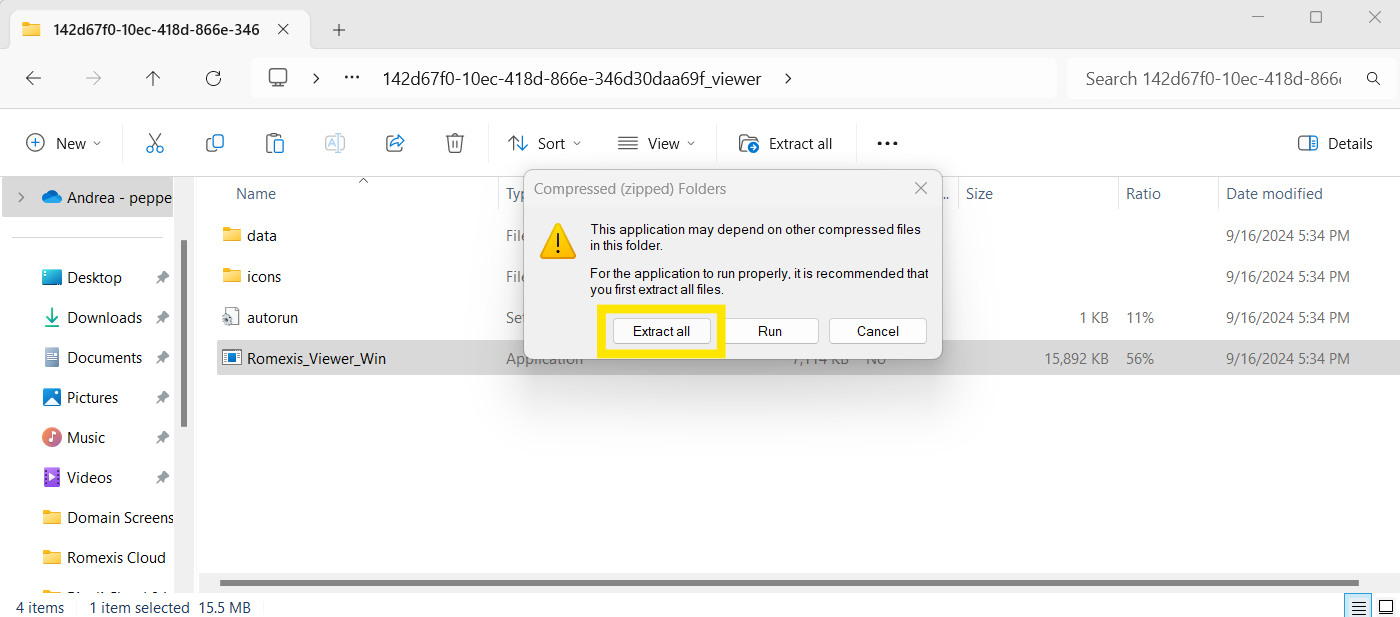
Once downloaded, double click the folder and open the Romexis_Viewer_Win application then Extract All
-
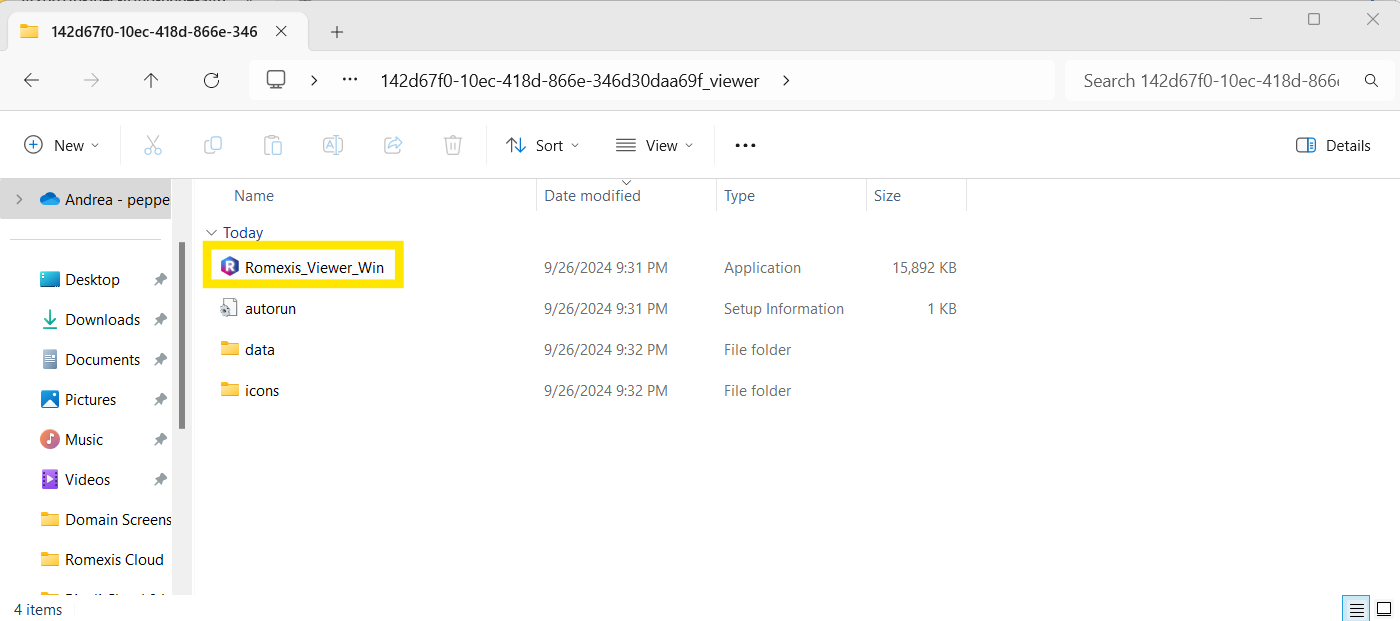
Run the Romexis Viewer application
-
Enter the password provided in the second email

-
Images are ready to be viewed