


Opening Another Mailbox

Jan 29, 2024
Opening a Shared Mailbox in Outlook on the Web
- Login to your email at https://office.com using the appropriate credentials.
-
Select Outlook.
-
Click the profile icon/initials/avatar at the top right of the screen (see screenshot below for example).
-
In the drop-down, select Open Another Mailbox…

-
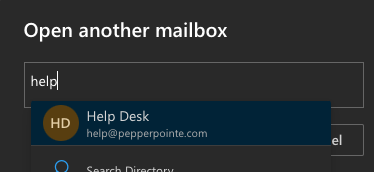
Enter the email address to open a shared mailbox. Select the shared mailbox in the list.
-
Click Open. The shared mailbox will now open in a new window.

