


Sharing Calendars

Jan 31, 2024
-
On the Home tab, select Share calendar
 , and if necessary, select which calendar you want to share.
-
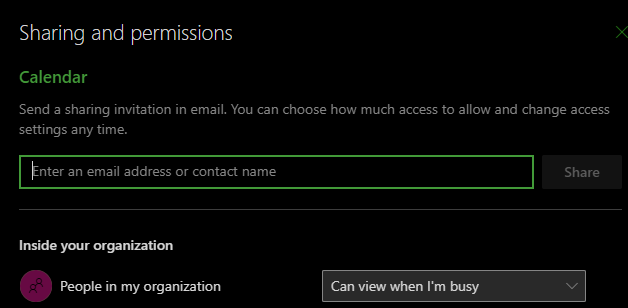
Type whom to share with in the Enter an email address or contact name box. If the person's name appears in a list, select it, otherwise press Enter.
-
Choose a permission level (Can view all details, etc.) for the person from the dropdown and select Share. To add more names, repeat steps 2 and 3.

